Scanifly now estimates missing months of electricity usage from local weather data. Enter the months of kWh you have, or a single annual total, and Scanifly fills in the rest of the year.
Accuracy is why nearly all of our customers choose Scanifly, from the first sales design to the final plan set. Most of that conversation is about the 3D model: inch-accurate roof measurements, precise obstructions, and real-time onsite shading. But system size and offset also depend on data the 3D model doesn’t capture, which is how much power the homeowner uses.
Reps rarely get 12 months of bills. They usually have one or two statements, and they fill in the rest of the year by multiplying or guessing. So we rebuilt consumption entry to estimate the missing months based on the weather where the project is. Here’s what shipped and how to use it.
What the new Consumption Data page does
Open any project and go to Project Overview > Consumption Data. You can enter usage month by month or as one annual total.
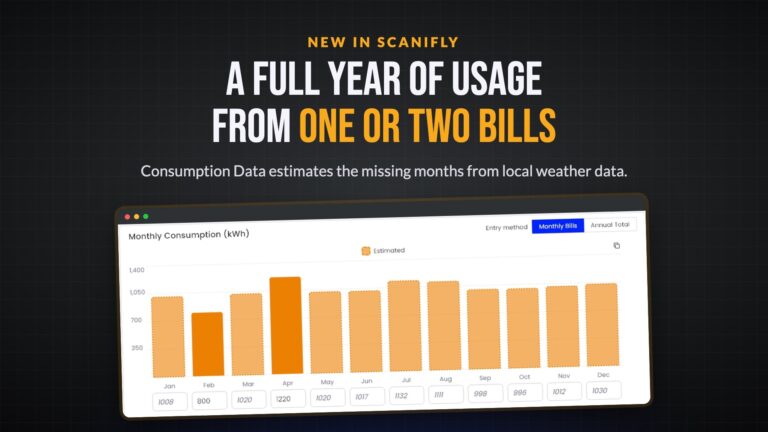
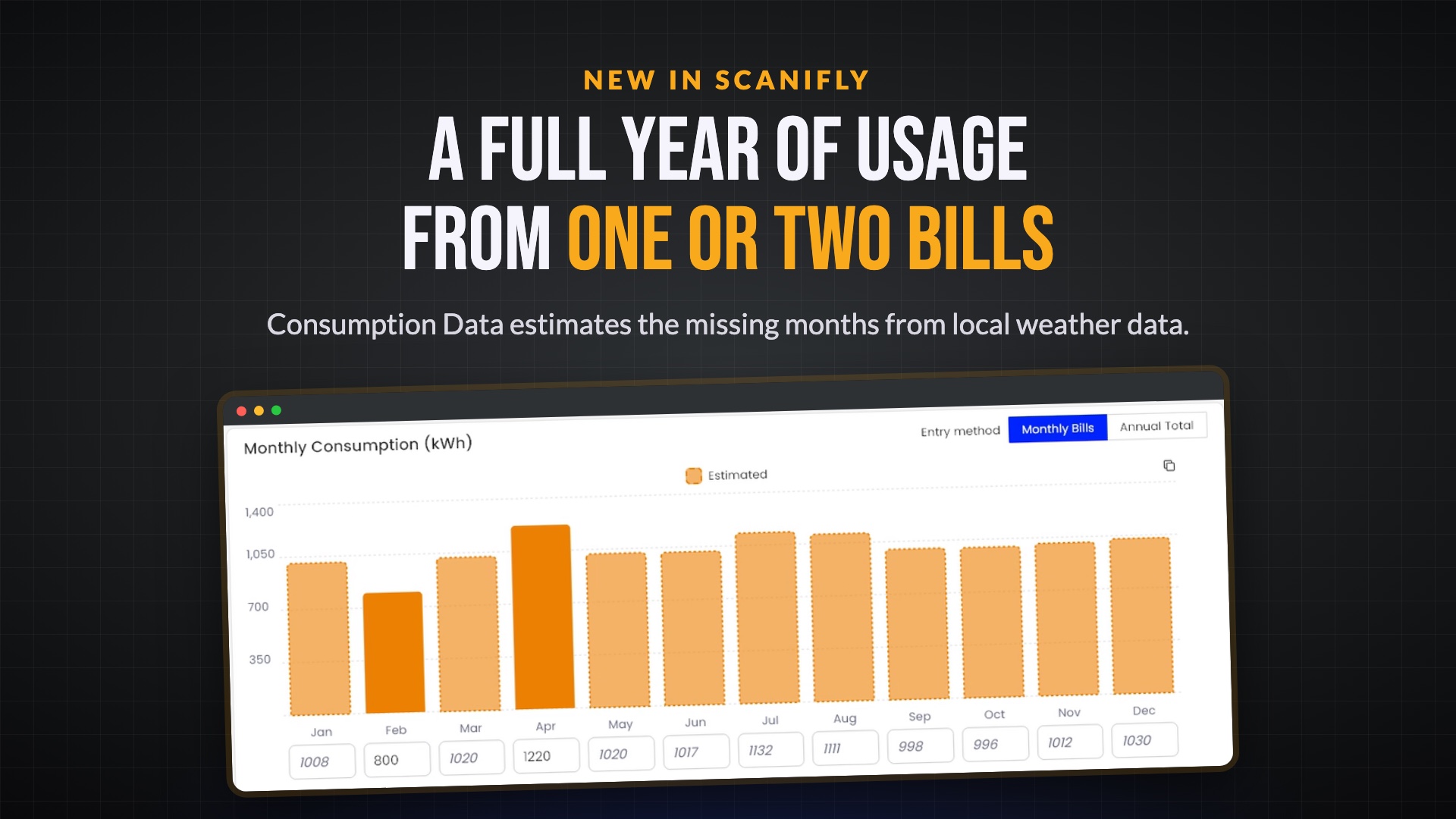
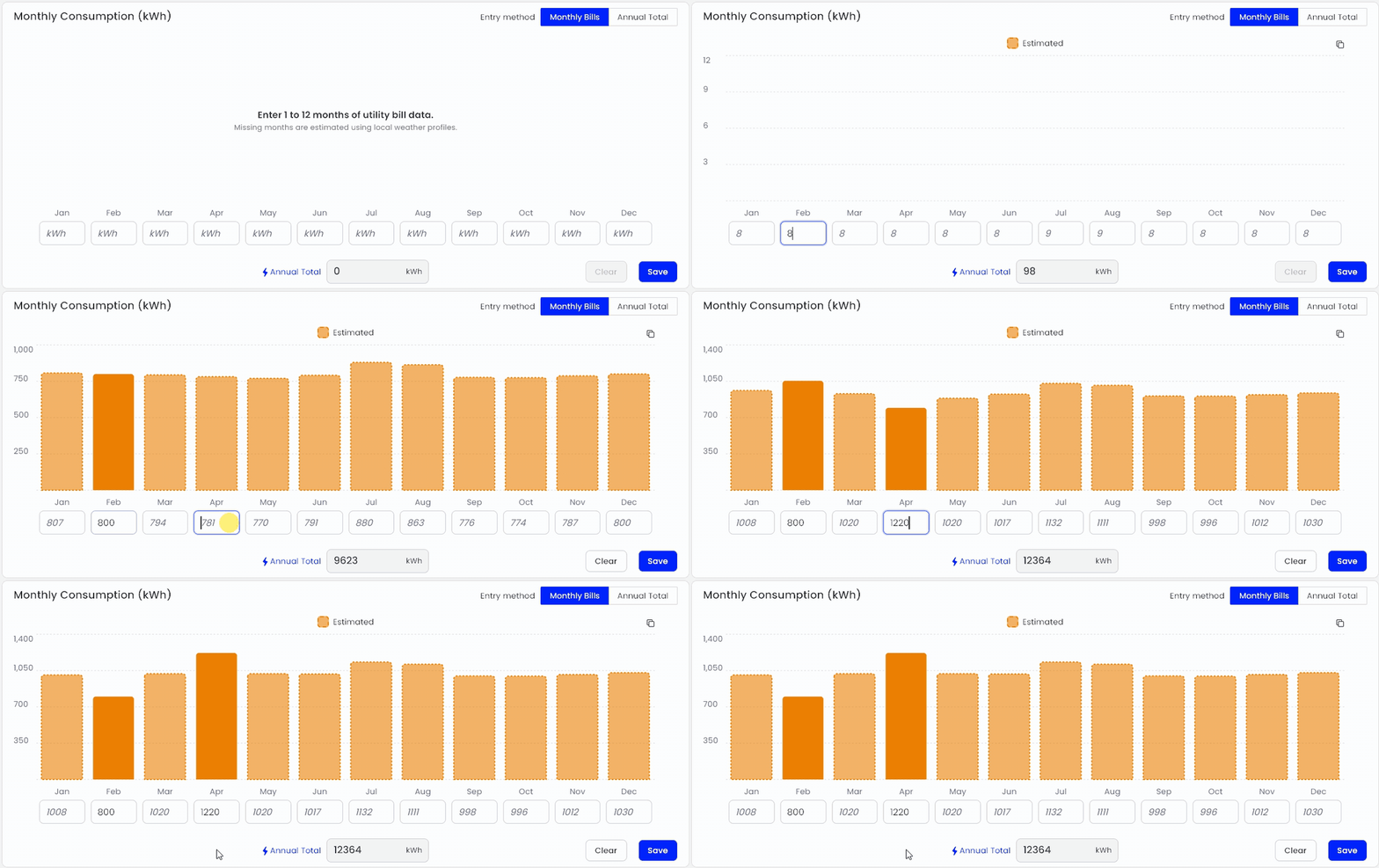
- Enter 1 to 12 months of kWh. Scanifly estimates the months you leave blank using NOAA’s 30-year monthly temperature normals from the closest weather station.
- See which station it used. The Climate Data card shows the station name and how far it is from the project.
- Tell bill data from estimates at a glance. Months you entered show as solid bars, and estimated months show as dashed bars.
- Add months as you get them. The more months you enter, the more accurate the estimate.
- Copy all 12 months in one click to paste them into another tool.
Entering an annual total instead
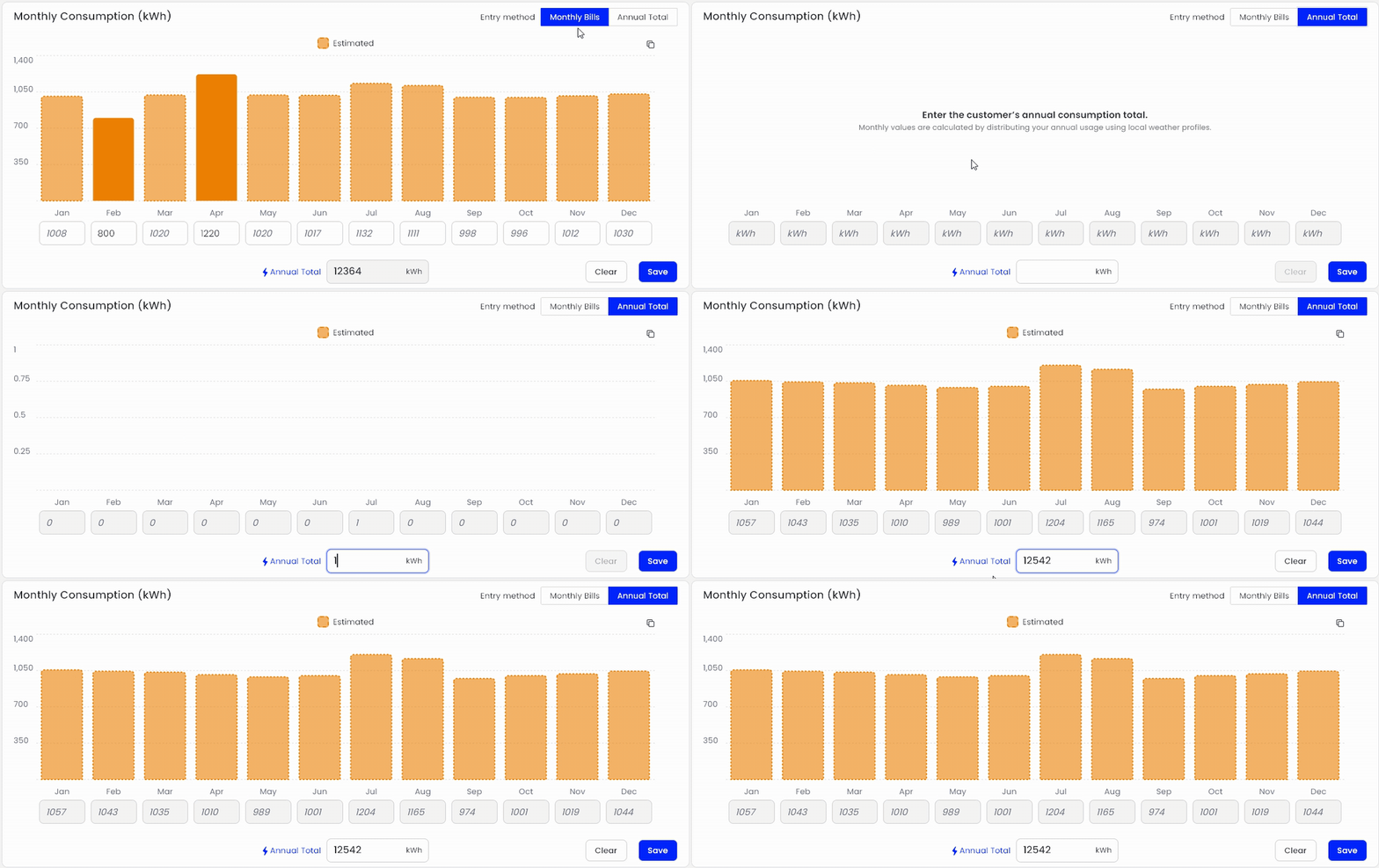
Some homeowners only know their yearly usage, or the utility only shows a 12-month total. Switch the entry method to Annual Total and type in that number.
Scanifly splits the total into 12 months based on the seasonal pattern for that location, instead of 12 equal months. The monthly values always add up to the total you entered.
Consumption estimates in Simple Design
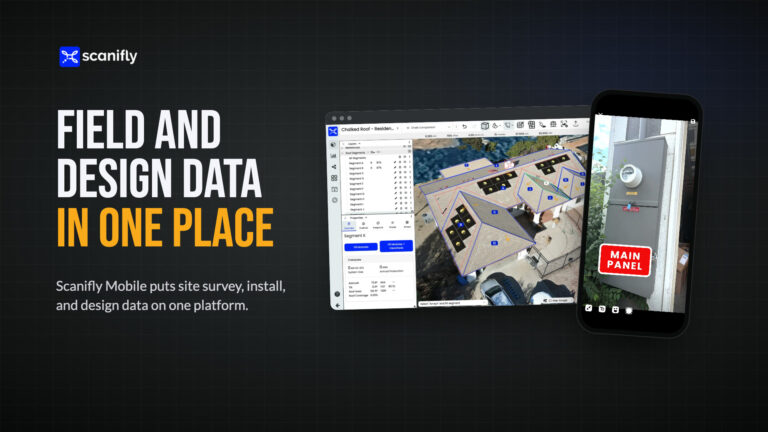
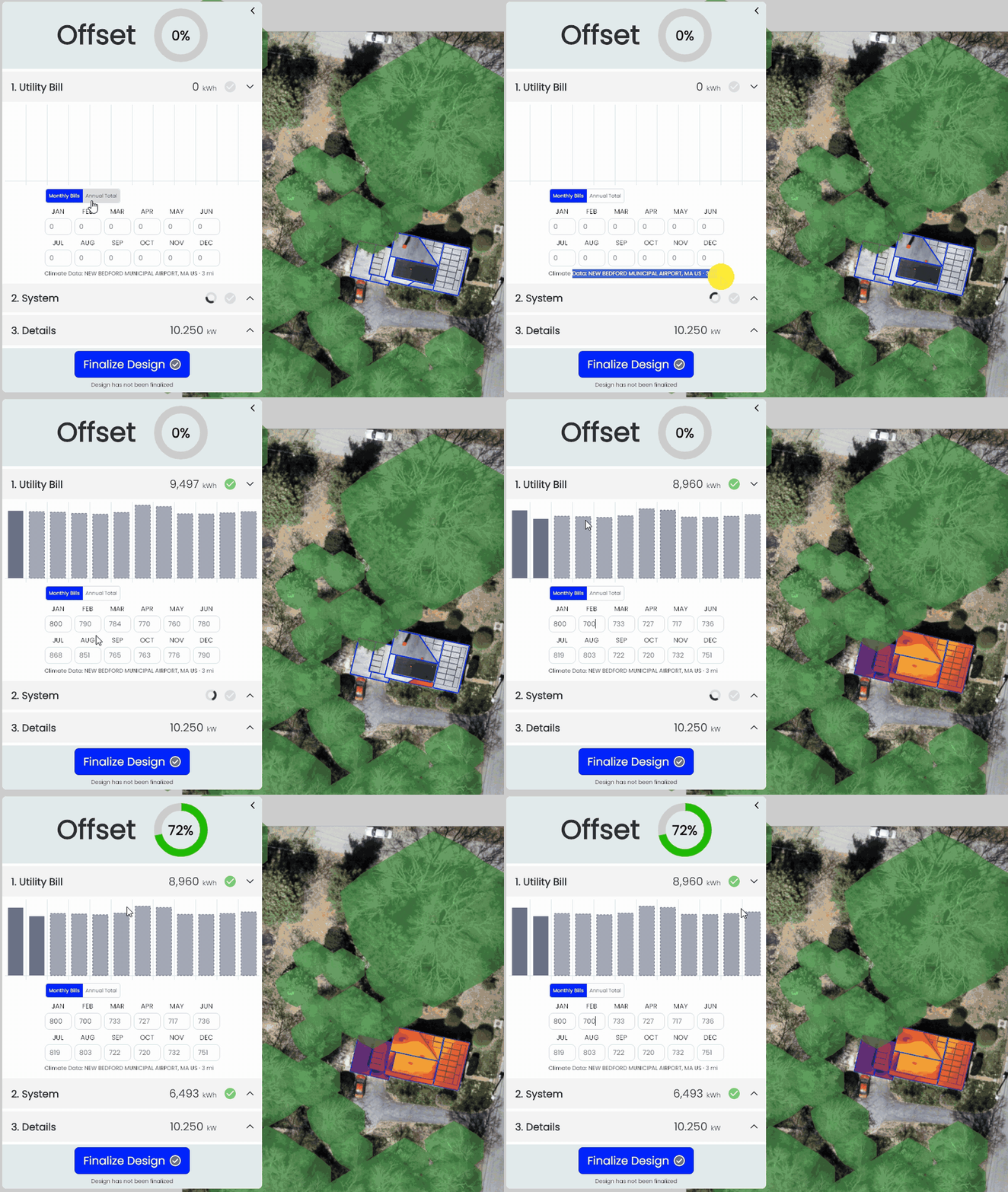
The Utility Bill step in Simple Design uses the same estimates. Reps can enter whatever usage the homeowner has during the appointment and watch the offset update as they type, without leaving the design.
That matters for teams where sales reps create the sales design and proposal. At New York State Solar Farm, reps create sales designs in Scanifly, and Simple Design gives them the right guardrails to customize the system with the homeowner without compromising accuracy. Their team said that before, a rep who needed two more panels had to wait in the engineering queue for a couple of hours. Now the rep makes the change, sees the setbacks engineering already set, and shows the homeowner the updated design right away. With consumption estimates built into the same step, the offset the rep shows is based on a full year of usage, too.
Why we estimate from local weather
Multiplying one bill by 12 throws off the system size. In a cold-winter market, a January bill overstates the year’s usage, and a May bill understates it. The same is true in reverse for a summer bill in a hot market.
Scanifly builds a degree-day weighted load profile from the nearest station’s 1991 to 2020 temperature normals, so heating and cooling months get more usage than mild months. If NOAA data isn’t available for a location, it falls back to ASHRAE climate zone profiles. The result is an estimate much closer to how the homeowner uses power across the year, which means a more accurate offset on the proposal.
Sending consumption through the API
Nothing changes for API users. Keep sending 12 monthly kWh values in the create project call. Scanifly doesn’t estimate months sent through the API, so a month sent as 0 stays at 0.
Good to know
- Usage is entered in kWh for now. If the homeowner only has dollar amounts, convert to kWh first.
- An annual total is always spread across all 12 months. If a home has zero usage in certain months, enter the months individually.
- We’re looking at utility rate data, which could eventually let you enter bill amounts instead of kWh. If that would help your team, tell your account manager.
Consumption Data is live now in every Scanifly account. Want to see it on one of your projects? Book a demo.
Frequently Asked Questions
How do I estimate a year of electricity usage from one utility bill?
Enter the bill’s kWh for that month on the Consumption Data page in Scanifly. Scanifly estimates the other 11 months from the project’s local temperature history, so the year follows a realistic seasonal curve instead of the same number 12 times.
How does Scanifly estimate missing months of energy usage?
Scanifly uses NOAA 30-year monthly temperature normals (1991 to 2020) from the weather station closest to the project to build a degree-day weighted load profile. The months you enter stay as entered, and the blank months are filled in using that profile. If NOAA data isn’t available, it uses ASHRAE climate zone profiles.
Can I enter an annual kWh total instead of monthly bills?
Yes. Switch the entry method to Annual Total and enter the yearly kWh. Scanifly splits it into 12 months based on the local seasonal pattern, and the months add up exactly to your total.
Does Scanifly estimate consumption sent through the API?
No. Monthly kWh values sent through the API come in exactly as sent, including zeros. Only months left blank in the Scanifly portal or Simple Design get estimated.