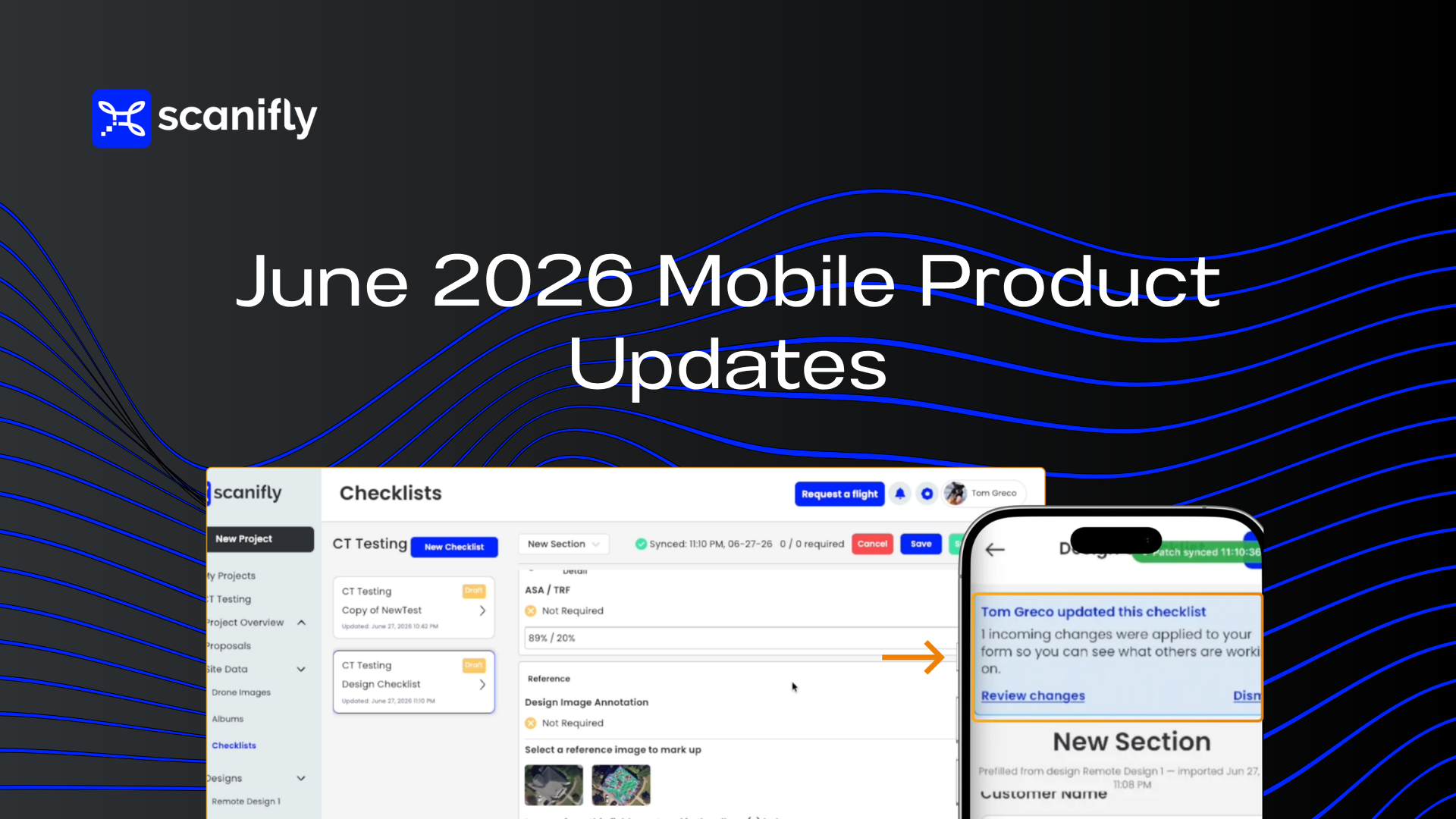
Field teams use Scanifly Mobile across every part of solar field operations: sales-driven checklists, site surveys, install-day documentation, and maintenance visits. You can customize any checklist and any field, so it plugs into your team’s most important workflows.
That range is exactly why we wanted to build a more flexible, collaborative experience for field teams. This release leans into one of the most requested features we’ve heard from customers: letting multiple people work on the same checklist at the same time, with clear notifications so nobody steps on anyone else’s work.
We’re not at Google Docs-level collaboration yet, but this is a big leap forward. Our goal with Scanifly Mobile is to make it easy for everyone in the field to use, so your team can document projects consistently and secure financing faster than ever.
To support these improvements and keep the app on a modern, up-to-date foundation, we also rolled out several infrastructure and library updates. They aren’t flashy, but they pave the way for a faster, smoother experience and let us ship new features more quickly.
What We Shipped
Multiple users per checklist
Two or more team members can now edit the same checklist at the same time without overwriting each other’s changes. If one person updates a field while another is editing a different field, everything saves cleanly.
Before, if one person saved a checklist while another had it open, it could wipe out the other’s changes. Now, field teams can split up a site inspection, divide and conquer the checklist, and trust that all the data makes it back without anyone losing work.
See who edited what, in real time
When two people are working on the same checklist together, the app now shows you what your teammate is updating, when they updated it, and where their changes landed. Color cues highlight edits as they happen, and timestamps show how recently your teammate made them (for example, “Tom edited this 2 minutes ago”).
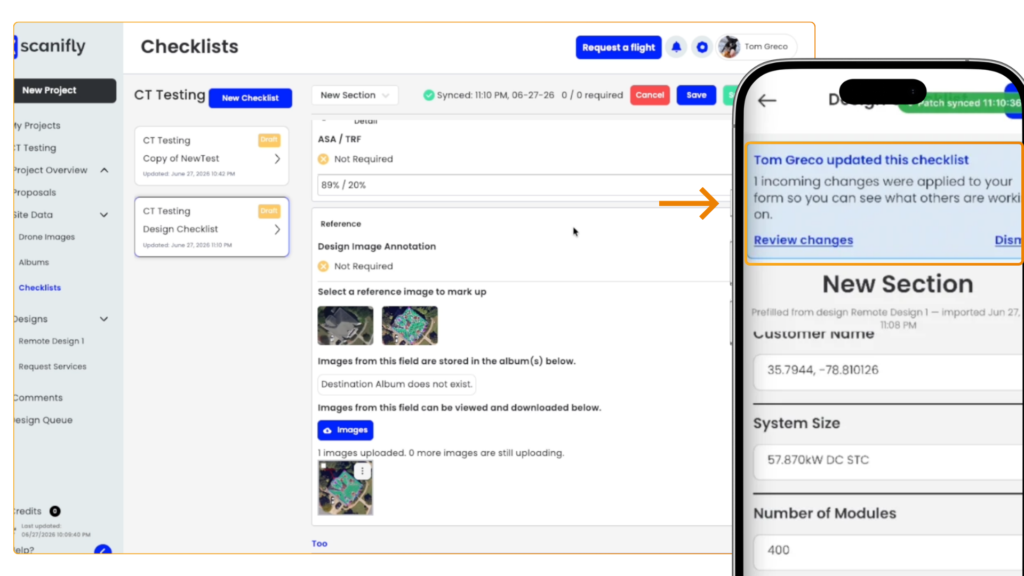
As you and a teammate move through a checklist, you’ll see your counterpart’s updates appear live, with clear visual markers so you never miss or accidentally override a change. No more guessing whether someone already filled out a field, or who filled it.
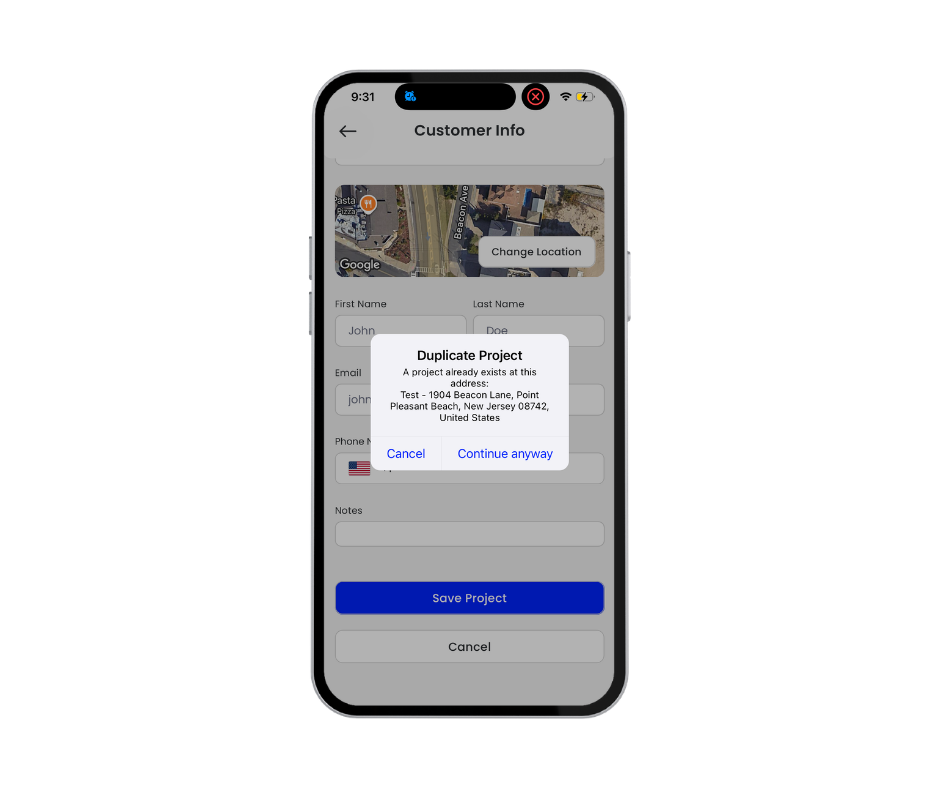
We also added a duplicate project warning. If someone tries to create a project that already exists in your company’s account, they’ll see a prompt to search for the existing one instead.
Checklists on web
You can now view and edit checklists directly from the Scanifly web app, not just on mobile.
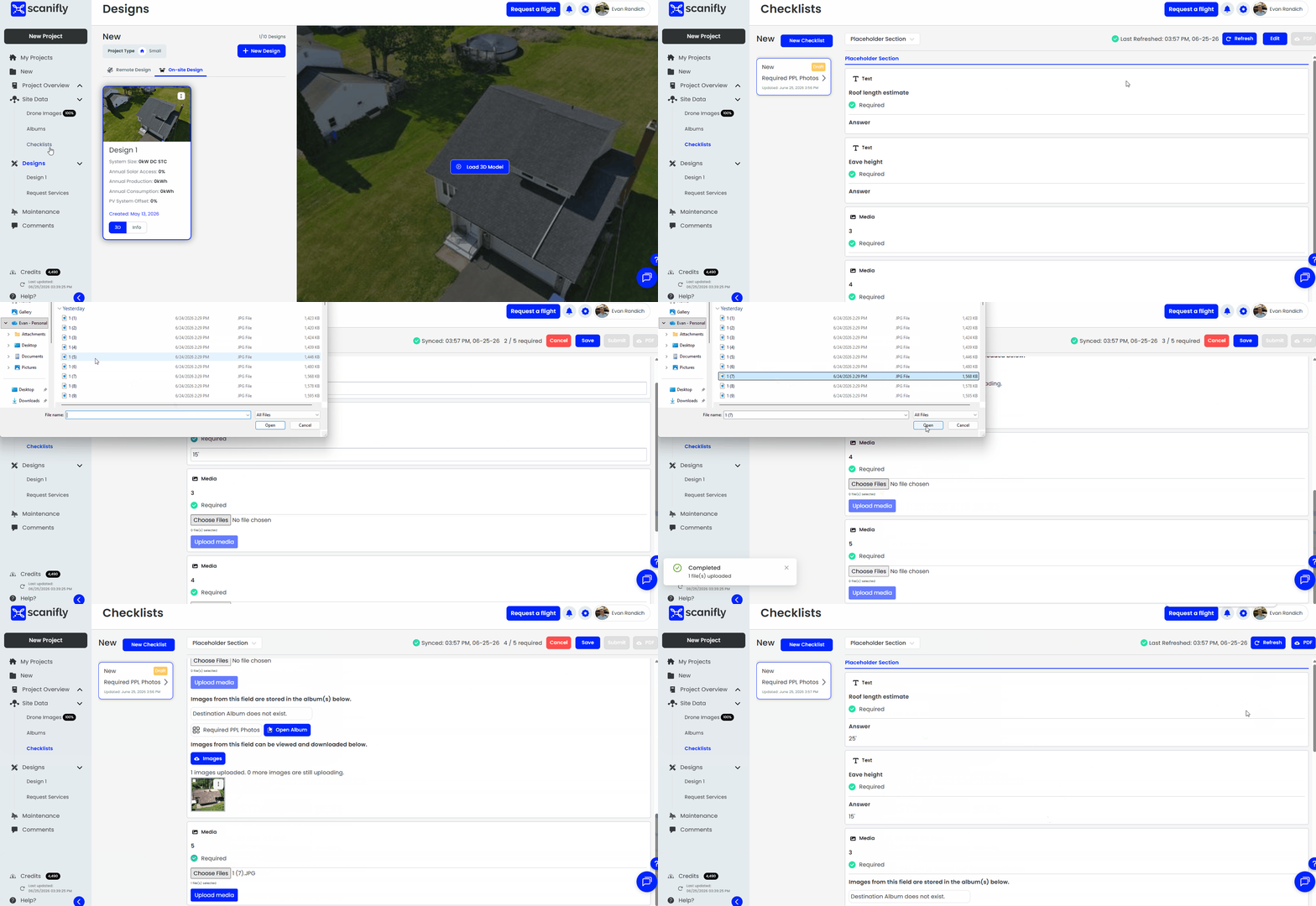
This doubles down on the collaboration theme. A sales rep, designer, or field ops manager in the office can now work alongside, before, or after the person in the field. If something needs a correction or an update, anyone with access can jump in from their desk.
Scanifly Mobile is faster and more stable
We updated the app to the latest version of its underlying libraries and infrastructure. Think of it like updating to a newer version of iOS. Everything runs better when the foundation is refreshed.
Navigating between screens is faster, switching between checklist steps is smoother, and memory usage is lower across the board. You’ll feel it most on older devices and during photo-heavy site surveys.
This is standard work for us. We don’t let our software go stale, and we’re always looking for the most important features, improvements, and parts of the code to keep top of the line. This was a bigger one, and these updates set us up to ship faster going forward.
Are You Uploading Your Drone Photos From the Field?
If you’re still waiting to get back to the office to upload your drone photos, you’re leaving a lot of time on the table.
Scanifly Mobile lets you upload directly from your phone or tablet as soon as your flight is done. The 3D model starts processing while you’re still onsite, so it’s ready for your sales rep or design team in less than 30 minutes.
Looking Ahead
We are experts in uploading imagery and data from the field, even though we’re not perfect every time. None of this is easy when you’re working with internet constraints, device constraints, memory, and RAM limits.
We’ve gotten better incrementally with every release, whether it’s drone, checklist, photo, or video uploads. These updates are the next step toward more reliable documentation, regardless of the environment, circumstance, or device.
As I said, we’re not perfect. But we are marching our way toward it, and we are committed to getting there.
Questions, issues, or feedback? Reach out to our team, and we’ll get back to you as soon as we can.
Frequently Asked Questions
Can multiple people edit the same Scanifly checklist at once?
Yes. Two or more team members can now edit the same checklist at the same time. Edits save cleanly field by field, so nobody overwrites anyone else’s work.
Can I view and edit Scanifly checklists on the web?
Yes. Checklists can now be viewed and edited directly from the Scanifly web app, so office staff can work alongside the person in the field before, during, or after a site visit.
How fast can a Scanifly 3D model be ready after a drone flight?
When you upload directly from your phone or tablet in the field, the 3D model starts processing while you’re still onsite and can be ready for your sales or design team in less than 30 minutes