Every update we ship typically builds on two major themes:
- Fewer clicks to get where you need to go
- More confidence in the data behind every design
Scanifly is the source of record for your field data, your designs, and your project documentation. The 3D design space is where all of that comes together. So when important data or key parts of the workflow are several clicks away, or outside the platform entirely, that’s a gap we want to continue closing.
More of the data you rely on is now inside the 3D scene, right alongside your designs, whether you’re building from satellite imagery or a drone-based 3D model. We also enhanced the Simple Design interface by adding advanced layout controls that sales reps need to properly design systems on flat roofs, including module tilt and spacing.
We have a lot more coming, and these are important steps toward building a 3D design space with everything you need, right where you need it.
Albums, now inside the 3D scene
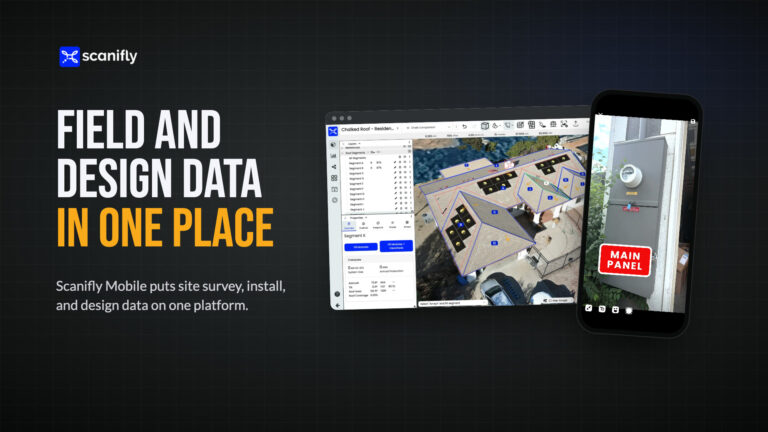
All of your albums, including drone images, property overhead shots, electrical, structural, and all photos captured using Scanifly Mobile, are now accessible directly inside the 3D design space. No more switching screens to reference a photo while you’re mid-design.
You can expand any image from the small viewer to full size, zoom in, and pan around. If you spot something in a photo that your model didn’t capture clearly, like an obstruction, you have all the necessary site context right in front of you.
We’ve always believed that comprehensive field data is what makes an accurate design possible, and an accurate design is what makes a successful install day possible. Your field data and your designs are now side-by-side, where they belong.
Google Street View for remote site context
Street View has long been a go-to for sales reps and designers checking facade height, roof pitch, or general site context when LiDAR and top-down satellite imagery are outdated.
So we added it as a new data layer in the design space, available in both remote and onsite designs. It’s a simple toggle at the bottom of the 3D scene. Street View opens on the left, your design stays on the right, and you reference both without switching tabs.
Advanced Layout Settings in Simple Design
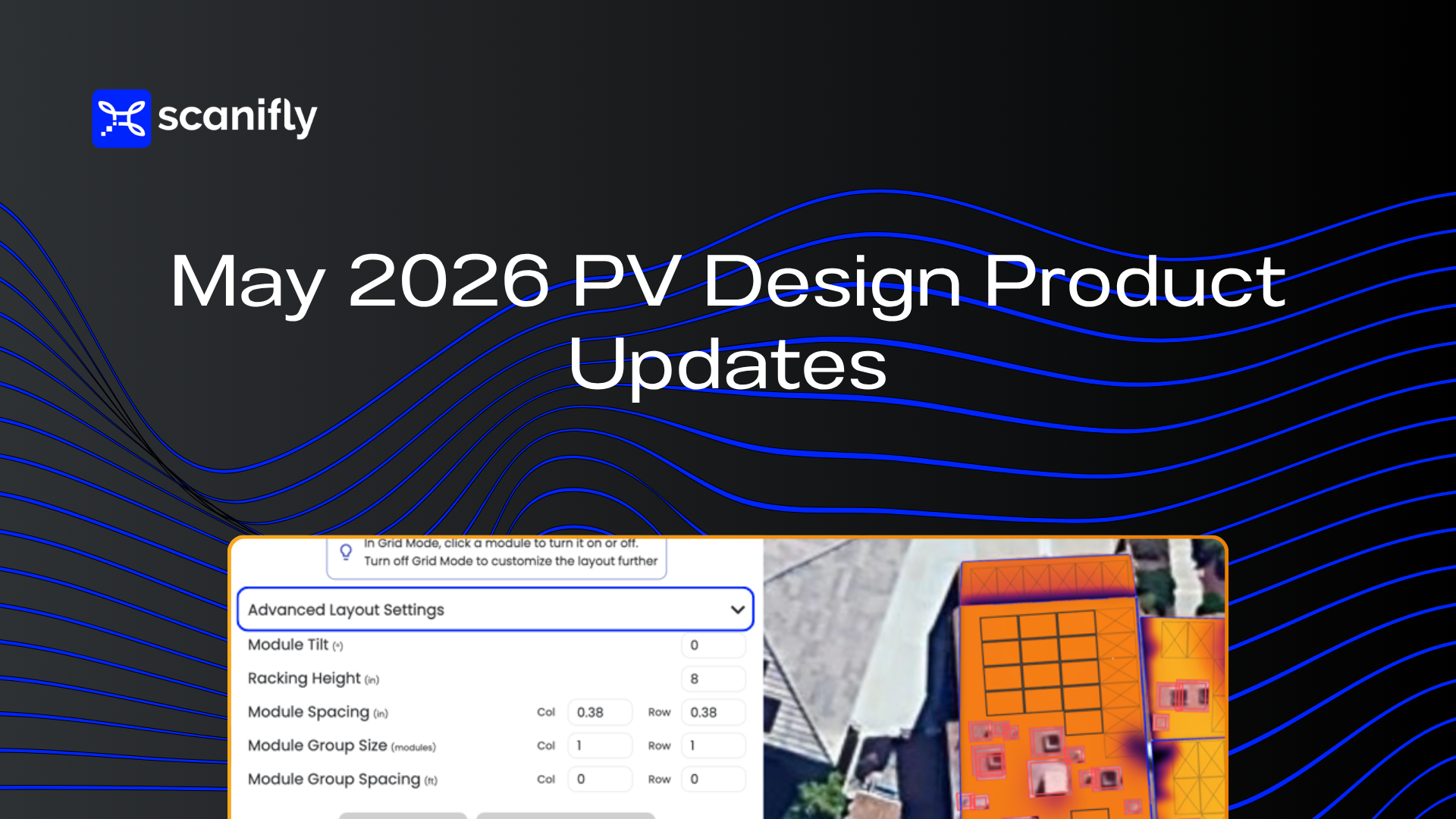
Simple Design was built to limit distractions and unnecessary clicks for sales reps. As it’s gained traction across more markets, it has become clearer that certain roof types need more flexibility.
Flat roofs are the obvious example. Flat roof systems require panels to be arranged correctly to avoid inter-row shading, and a fixed grid layout doesn’t meet that requirement.
Advanced Layout Settings, available for users with Level 2 permissions, fix this. Sales reps and designers can now adjust spacing, racking height, and tilt to properly design a flat roof system without sacrificing the speed that makes Simple Design so valuable.
De-tilt moved to the layers tree
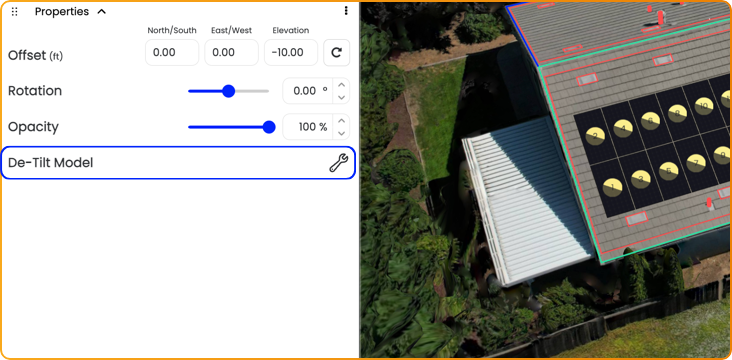
The de-tilt tool for Google 3D, LiDAR, and 3D models has moved from the top-right menu into the layers tree, under the References dropdown, alongside the data layers you’re designing with.
There’s a second benefit. Undo and Redo now work with de-tilt adjustments, so corrections are quick. Most users won’t de-tilt every model, but when there’s a visible tilt issue, it’s far easier to reach.
Production and consumption labels
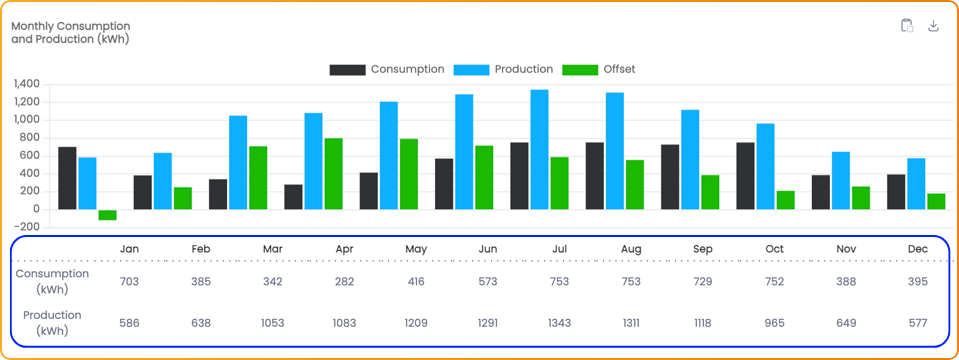
The production and consumption chart on the Project Info page now shows visible labels on each bar. Highlight the numbers, copy them straight into a spreadsheet or report, and skip the screenshot.
Viewshed performance improvements
We’ve shipped several Viewshed performance improvements over the past few weeks, with more landing over the next month.
Our proprietary Viewsheds are one of the most powerful capabilities in the platform: accurate, real-time shading analysis you can run per module or across the entire roof surface. We’re committed to making them faster with every release, and you should start noticing the upgrades soon.
Looking ahead
Accurate field data is what makes an accurate design possible, and an accurate design is what makes a successful install day possible. That belief shows up in our customer outcomes. Granite State Solar and Green Mountain Solar saw no change orders on their projects after moving their workflow into Scanifly, because the design reflected the actual roof measurements and site conditions from the start.
Bringing albums, Street View, and flat-roof controls into the same space as the design keeps your team working from the most complete picture of the site, from the first sales visit to final design.
We’re still early in what’s possible in Scanifly. Every data layer we bring into the design space and every workflow we simplify builds toward a better platform for every persona and every stage of a project.
Stay tuned for more performance improvements, more automated design capabilities, and UI updates that make the software more intuitive.